OpenSOC: Wazuh Agent Setup for Linux Endpoints
Contents

So here we are, we gonna setup the agents for our SIEM and configure everything related to it so that you can set up multiple agents using similar methods.
This might get a little long so there are Table of content in every post now which you can use to navigate and get things done rather than sit around and read this entire blog.
why do we need to do this in the first place?
Every SIEM needs some kind of telemetry collector. This is where this “Agent” comes in. It basically takes the shit load of logs from your device and streams them to the server where it gets dumpped and no one actually analyses most of it.
For wazuh, we use this agent (repo).
pre requisites
- A running debian or any
apt-package manager based distro of your liking. (i am not going to teach you how to get that done) - A wazuh server (see post: OpenSOC: Setting up the SIEM (Wazuh Server))
That’s it for the requirements rest we can configure as time goes, if anything is updated in future I will let you know. keep an eye on this repo’s issues if something does not work add an issue to that repo and I will try my best to fix it or address it atleast. Its like a comment section that is only for criticism ig.
let’s move on now…
installing wazuh agent
See the images and the red/purple box and follow the same. [Yes I am lazy to write everything (cry about it)]

Step one click on the “Deploy new agent” to deploy your first agent.
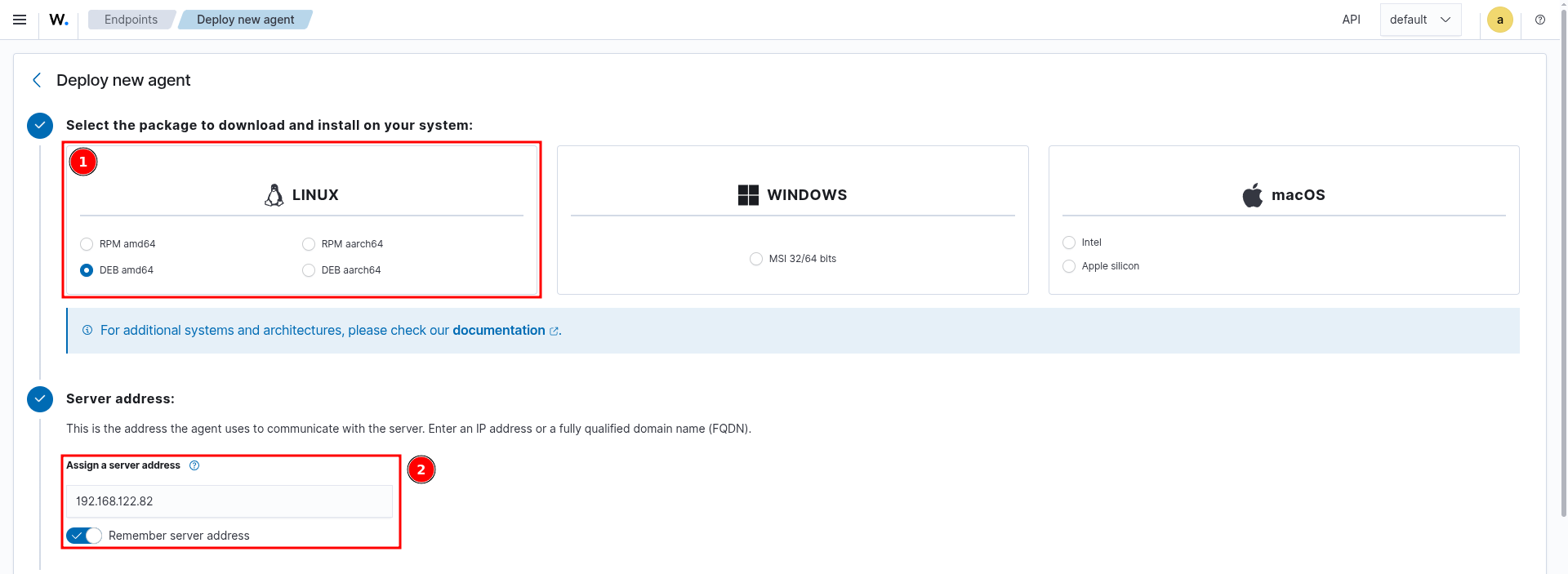
Select the distro you want to install (sad only debain based and RHEL based
disto option exists). and then enter your server ip (which in this case is
192.168.122.82)
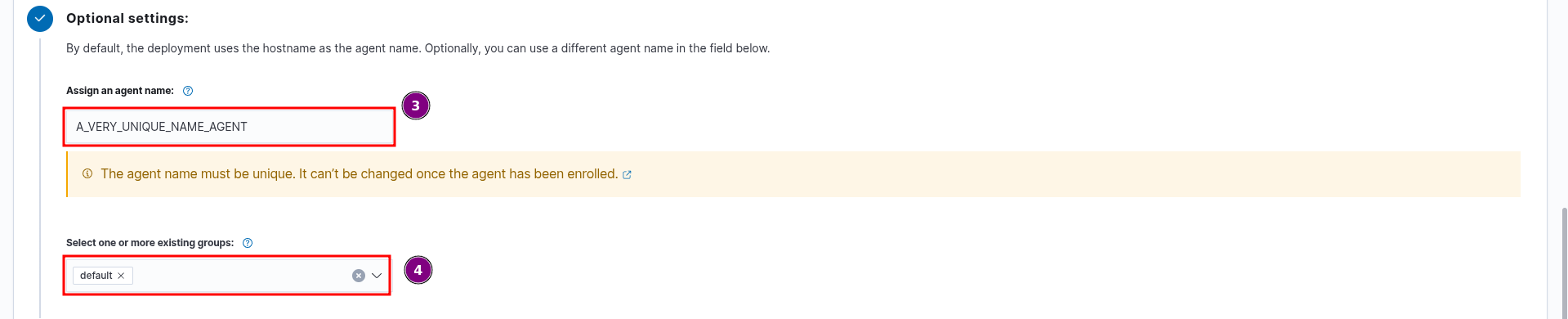
Add a unique name to the agent, in an org you can use something like the employee id or the email to differentiate each employee device.
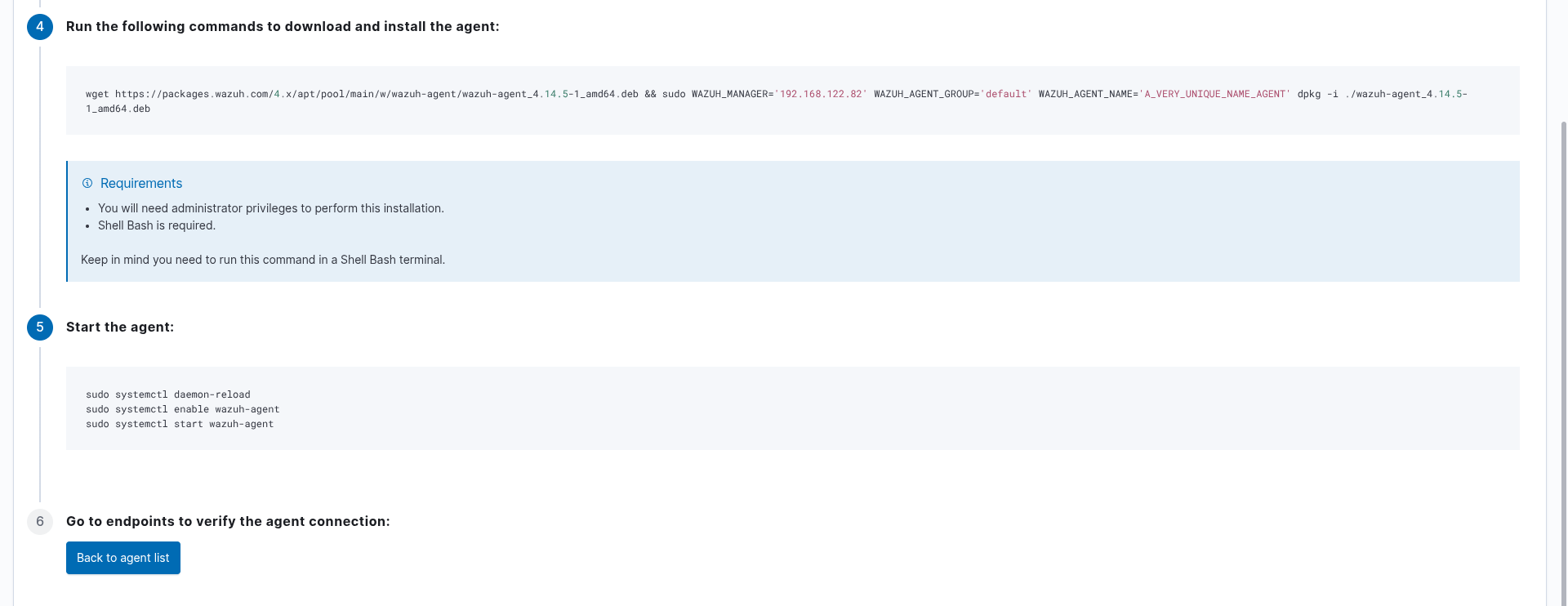
now run these commands.
wget https://packages.wazuh.com/4.x/apt/pool/main/w/wazuh-agent/wazuh-agent_4.14.5-1_amd64.deb && sudo WAZUH_MANAGER='192.168.122.82' WAZUH_AGENT_GROUP='default' WAZUH_AGENT_NAME='A_VERY_UNIQUE_NAME_AGENT' dpkg -i ./wazuh-agent_4.14.5-1_amd64.deb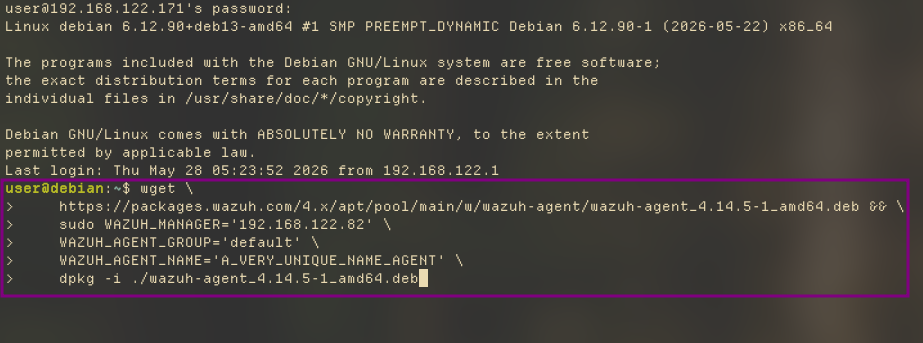

now make sure the agent starts as a daemon in the background
sudo systemctl daemon-reload
sudo systemctl enable wazuh-agent
sudo systemctl start wazuh-agentnow check the dashboard. It should show the device in the agent list

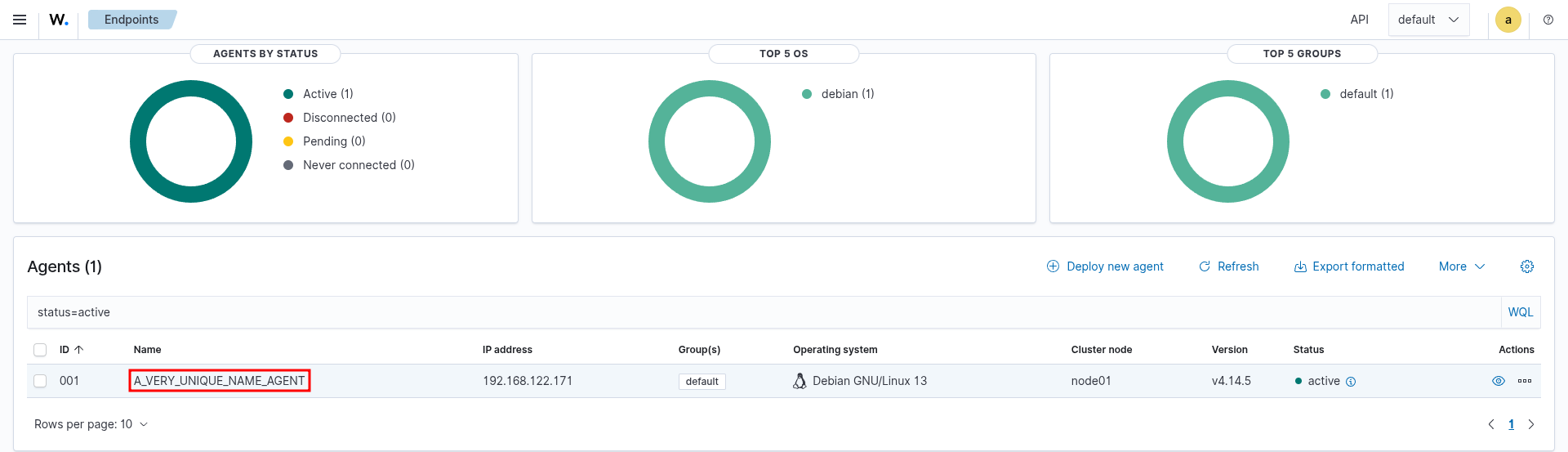
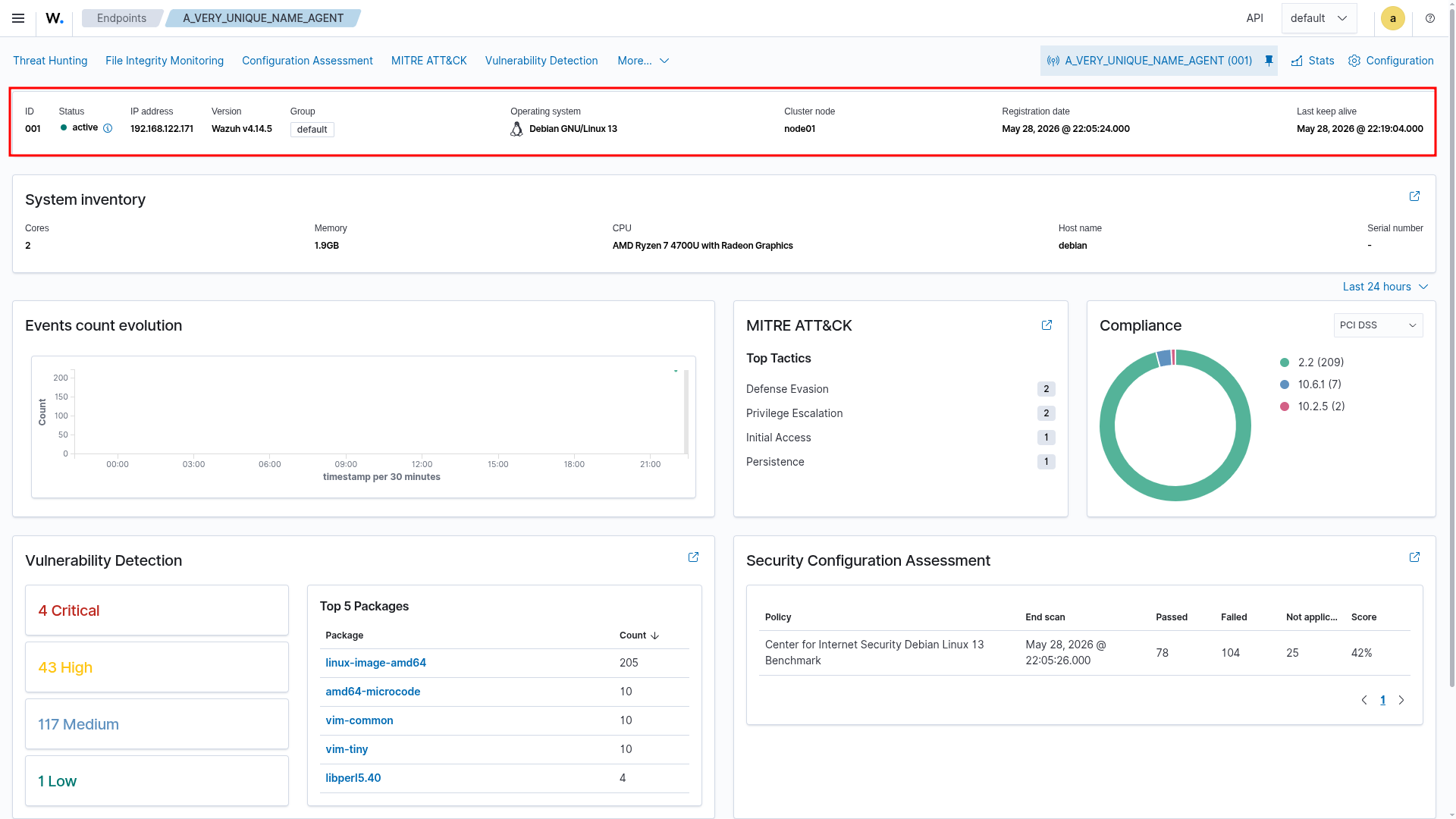
if the dashboard shows nothing even after few seconds, run this
sudo /var/ossec/bin/wazuh-control restartThis is how you setup wazuh agents basically. For configuring the agent their would be another blog in the series. so look out for that.
signing key
fingerprint:
06AF 0645 BB54 6A04 9114 9E01 37EC 725D 9DD3 E2EB